
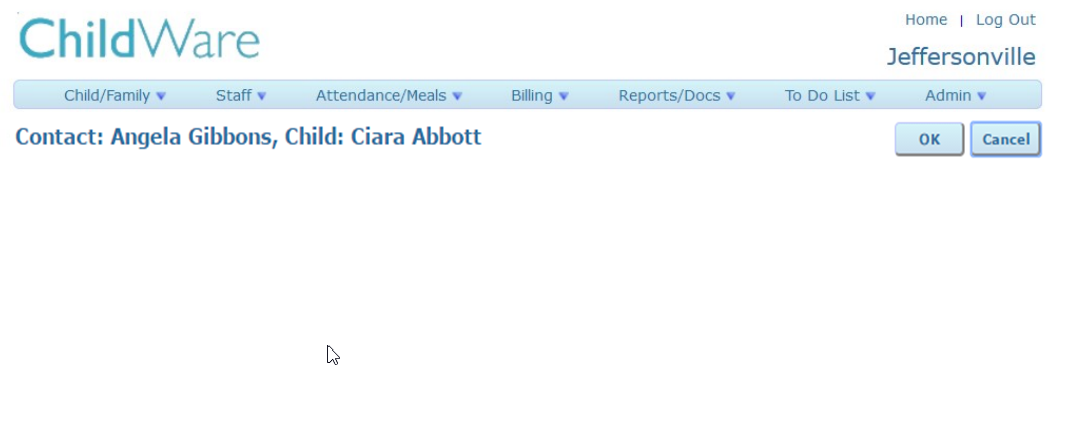
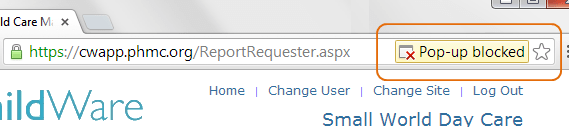
If you experiencing issues with ChildWare pages not fully loading, or if you are missing tabs (see below) please follow these troubleshooting steps.
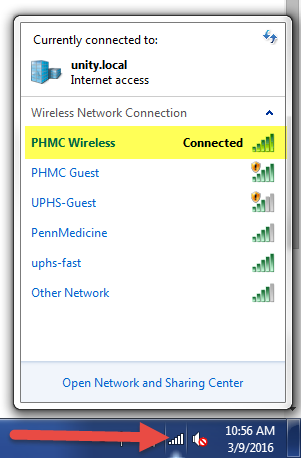
First, be sure that you have not lost internet connection. Check your internet connection by clicking on the bars located at the bottom right hand of your computer.
If your internet connection is not the issue, you will need to clear you browser’s cookies and cache.
If you are using Google Chrome:
- Open Chrome
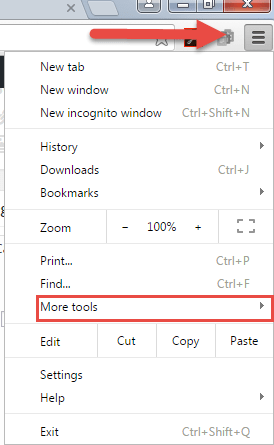
- On your browser toolbar, click the Chrome menu
- Click More Tools>Clear browsing data.
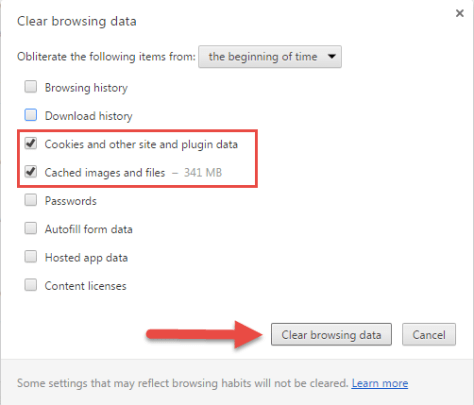
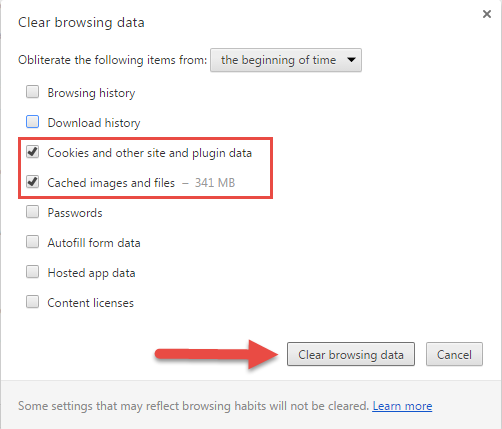
- In the box that appears, click the checkbxes for “Cookies and other site and plug in data” and “Cached images and files” .
- Use the menu at the top to select the amount of data that you want to delete. Choose the beginning of time to delete everything.
- Click Clear browsing data

If you are using Firefox:
- Open Firefox.
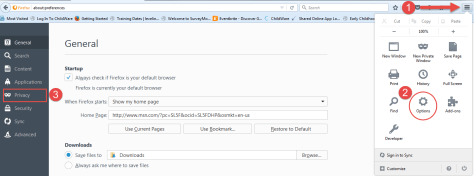
- On your broswer toolbar, click on the Firefox menu.
- Click Options, then click Privacy from the left side menu.
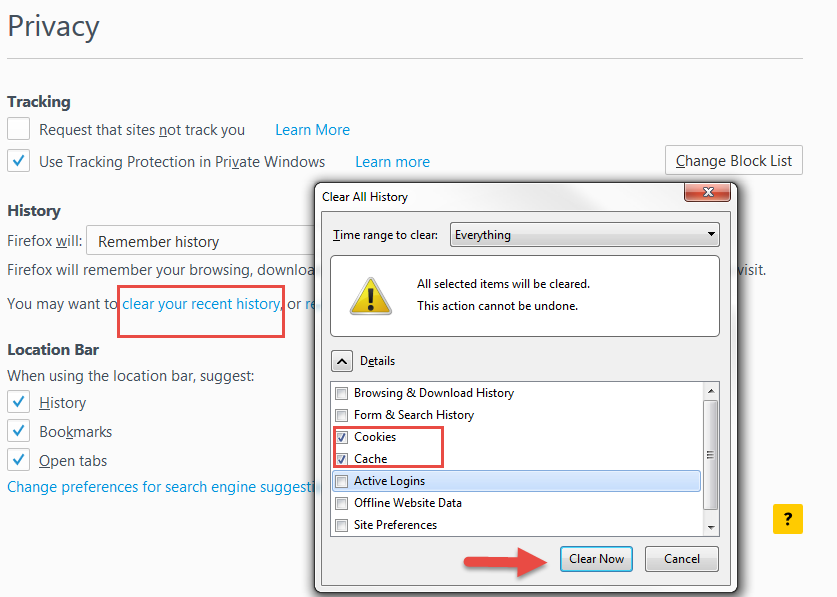
- Click clear your recent history.
- In the box that appears, click the checkboxes for “Cookies” and “Cache”.
- Use the menu at the top to select the amount of data that you want to delete. Choose the everything to delete all history.
- Click Clear Now.

If you are using Safari on a Mac:
- Open Safari.
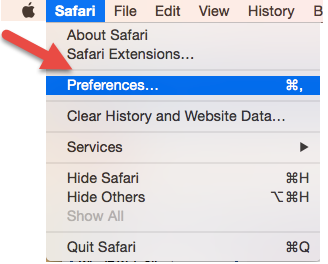
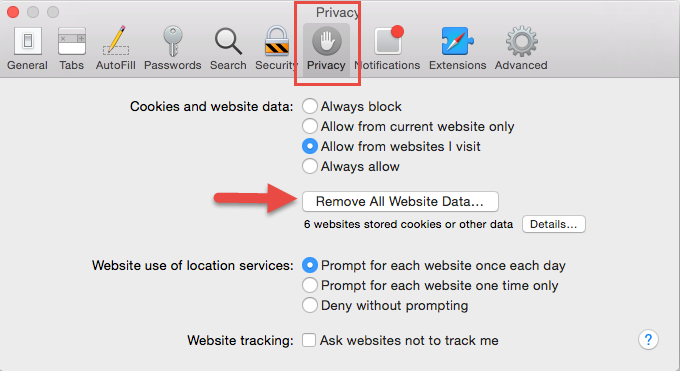
- Click Safari in the upper left hand side of your screen. In the menu that appears, click Preferences.

- In the window that appears, click Privacy tab. Click the button Remove All Website Data.
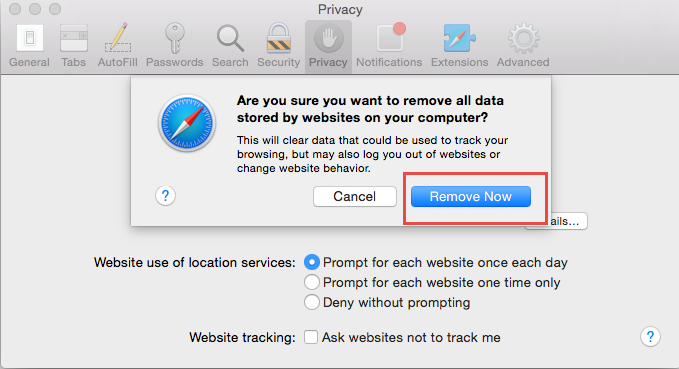
 4. Click Remove Now in the pop up window that appears.




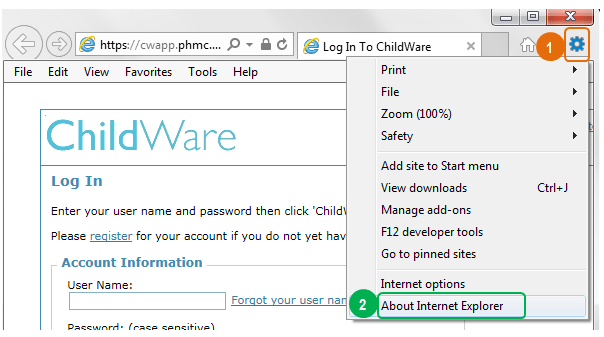
 Click the tools menu
 Click “About Internet Explorer”; a pop-up window will appear showing you what version of IE you have.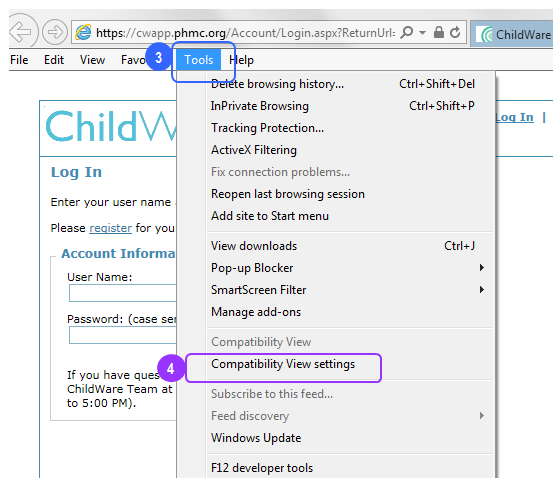
 Select ‘Tools’ from the Menu Bar. If you do not see a Menu bar, right click on the top of the window and select ‘Menu bar’ to make it visible.
 Select ‘Compatibility View settings.’ A new screen will pop up.
 Add phmc.org to the list of websites to be displayed in Compatibility View.
 Click ‘Close’ to save. Close and re-open Internet Explorer and you should be able to access ChildWare normally.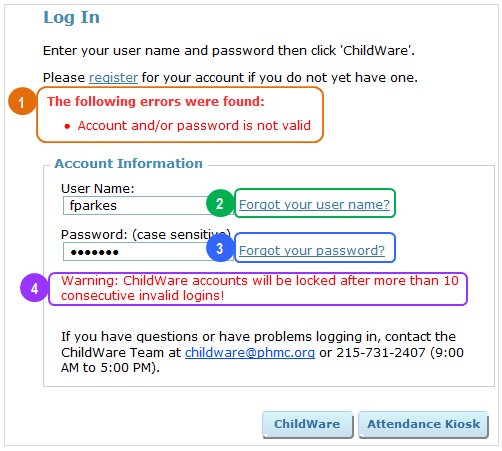

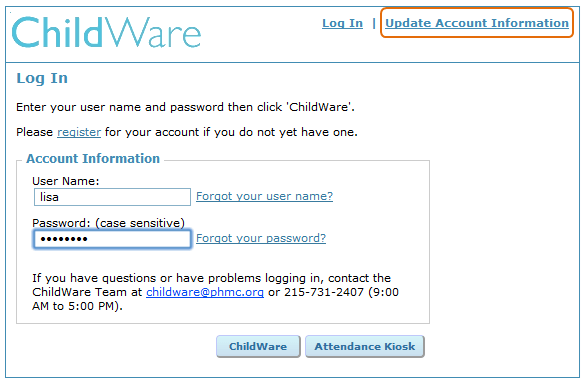
 If you’ve forgotten your username, click ‘Forgot your username?’ and follow the instructions.
 If you’ve forgotten your password, click ‘Forgot your password?’ and follow the instructions.


 ChildWare