
The Services tab stores data related to billing and scheduling. It also includes other data that may change over time, such as care level or classroom assignment. The main portion of the tab provides a summary of data stored on the current service profile.
To view the details behind the summary, select the service profile from the Service Profile History grid. To add or edit the service profile record, click the ‘Add/Change Current Service Profile’ button.

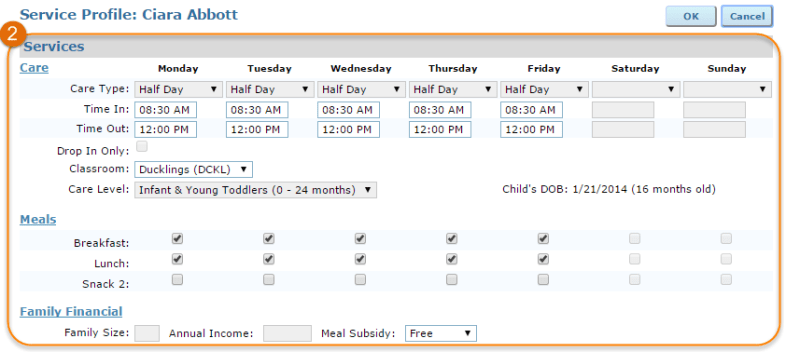
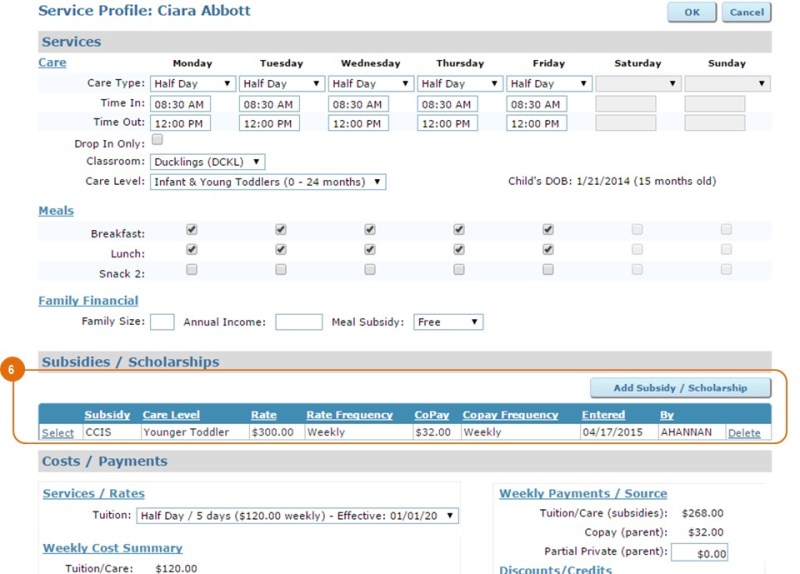
The Service Profile includes three sections: Services, Subsidies/Scholarships, and Costs/Payments. The Services area displays the care type, scheduled days, time in and time out, classroom, care level, meals and family financial information (including meal subsidies) for the selected service profile. The expected schedule is used to create attendance and meal rosters. The schedule and expected meals prepopulate in the attendance and meals roster based on the active service profile within that range. If you subscribe to ChildWare PLUS, the system uses this data to mark the child absent. Read more about Attendance tracking here.
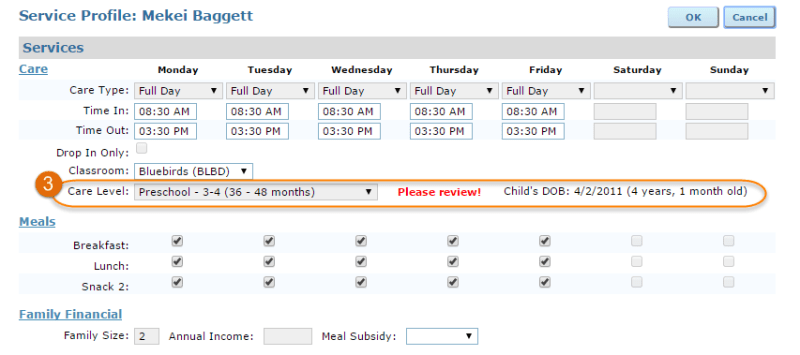
Note: If a child has aged out of their original care level, the system will display a reminder to review the care level.
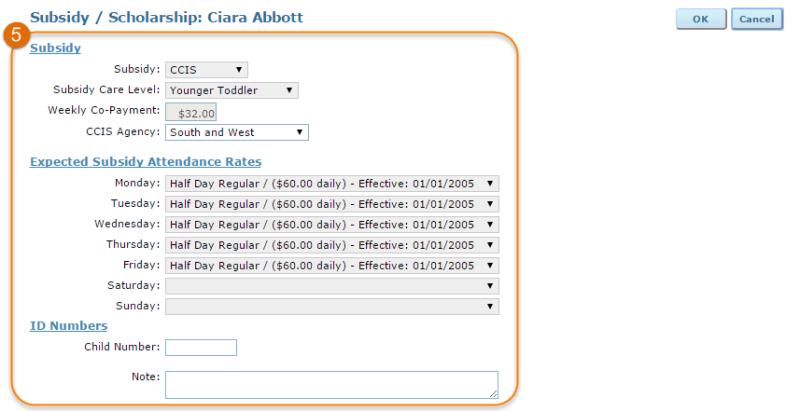
The Subsidies/Scholarships grid contains all subsidies or scholarships associated with the service profile, along with subsidy care level, subsidy rate and frequency, and copay and copay frequency details. Use the ‘Add Subsidy/Scholarship’ button to document a new subsidy or scholarship or click ‘Select’ to the left of the subsidy to review details of the record.

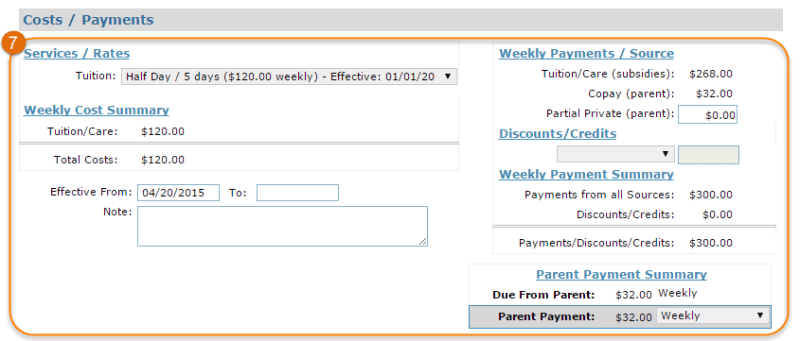
Children are automatically assigned a private tuition rate based on care type, scheduled days and care level. If the child pays privately, this fee will be billed in the parent payment schedule. You can apply discounts as needed.
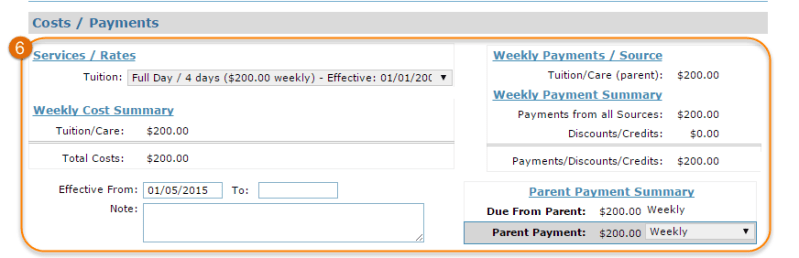
If a child has a subsidy, the tuition rate listed serves simply as a reference to the cost of care. If there is a difference between private rates and subsidy reimbursement, you can charge an additional copay or leave as a subsidy discount. The parent payment schedule will include the subsidy copay and any other additional recurring charges.
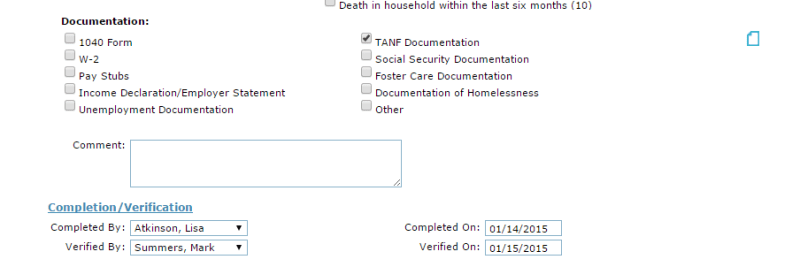
 You can add a new eligibility verification record or select an existing record. The eligibility record includes detailed information about the family at the time of enrollment and includes a scoring system to ensure you are serving children with the highest need for services.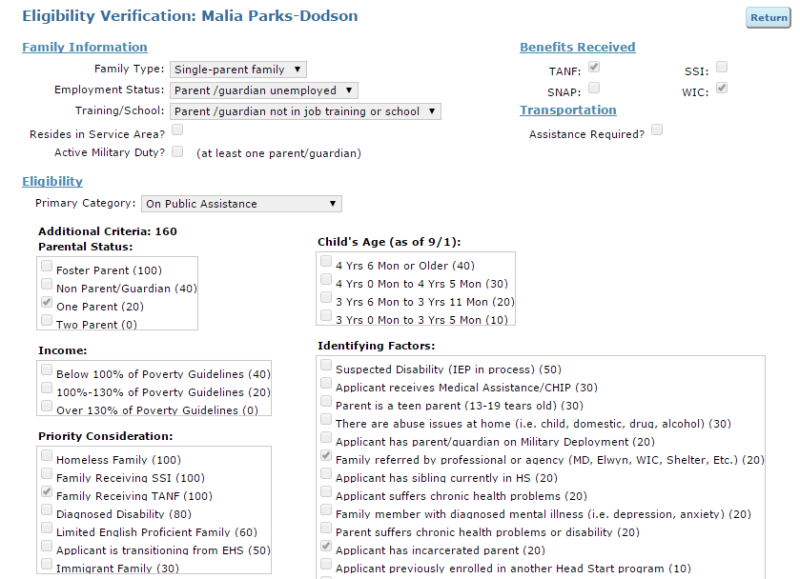
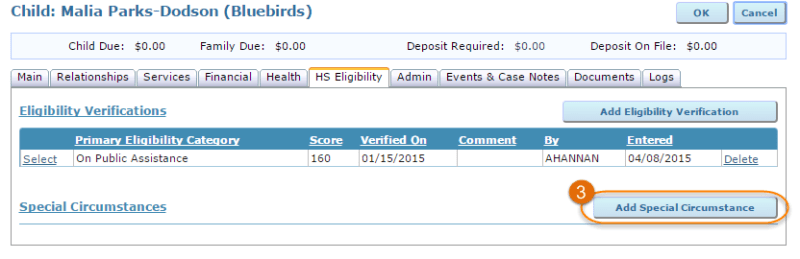
 Directly below the Eligibility Verification section on the HS Eligibility tab is the Special Circumstances area, where significant family circumstances should be recorded. It is very important to record Special Circumstances as they become known because these events are included in the end-of-year Program Information Report (PIR) required by the Office of Head Start.
 The Circumstance drop-down contains significant events or crises that a child may experience, though an ‘Other’ option allows users to record circumstances that are not included in the list.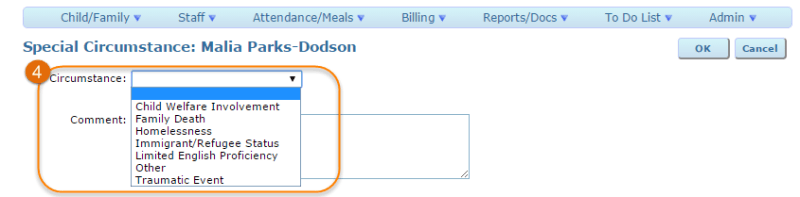
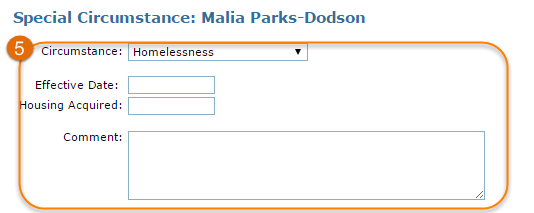 Just as it is important to record special circumstances for Head Start children as they occur, it is equally important to update special circumstances as situations improve or change. For example, the PIR will report not only that a child experienced homelessness during that program year but also if the homelessness need was addressed and resolved within the program year.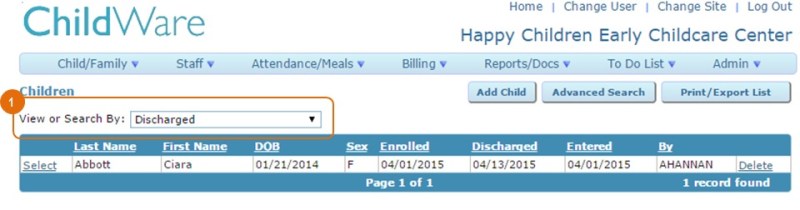



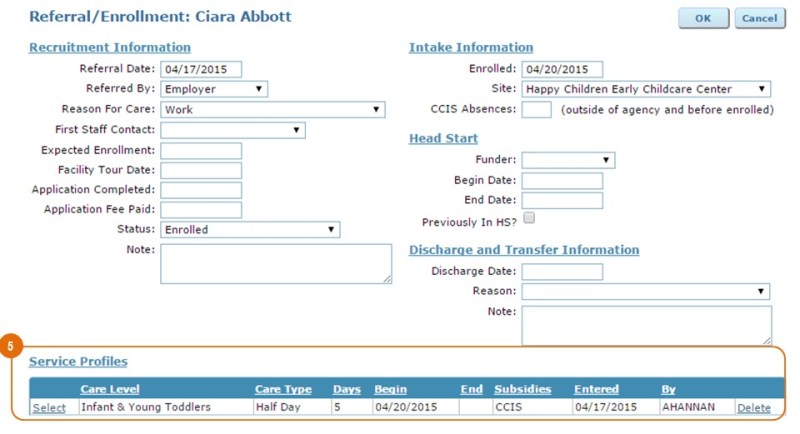
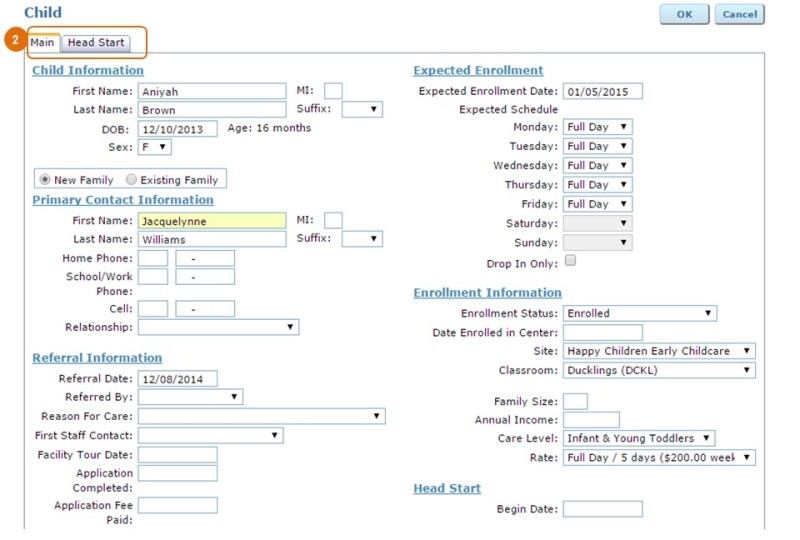
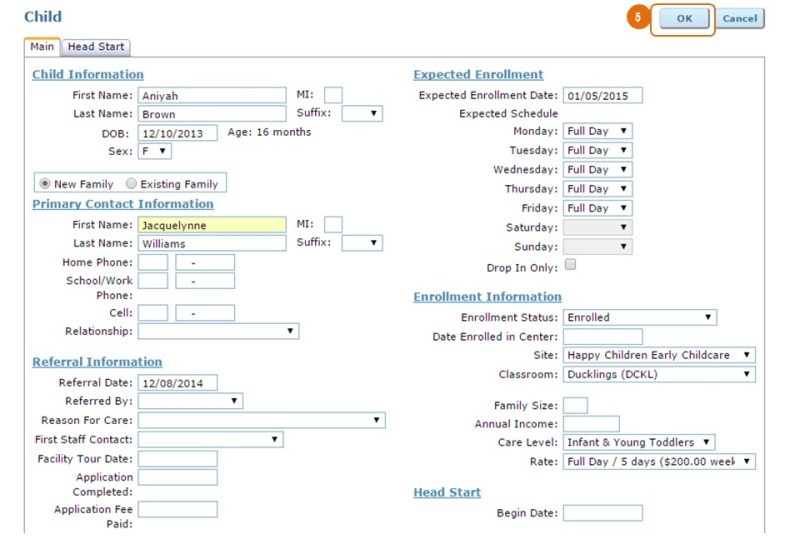
 When you have completed your changes, click ‘OK’ at the top of the screen. Any changes to the service profile will apply to the new enrollment record, and this child will now appear in the list of ‘active’ children in the Child Data screen.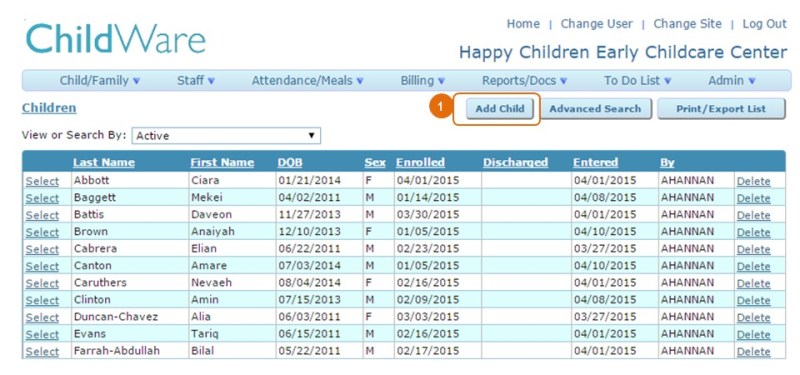


 ChildWare